Furnio

Virtual staging for real estate

Listing-ready rooms without the furniture truck.

Create listing-ready rooms from empty or dated property photos with AI real estate photo editing—without a furniture truck. Furnio produces polished, consistent interiors for MLS®, marketing campaigns, and faster listing launches.

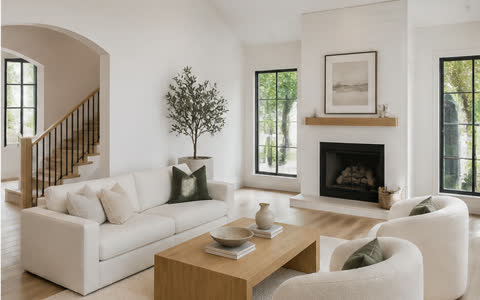
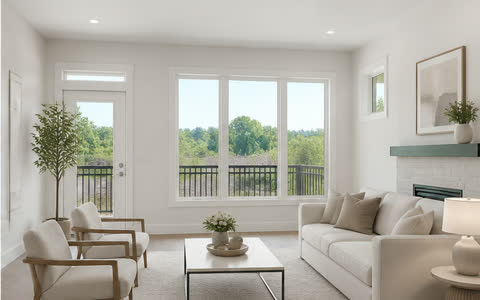
Professionally staged living room prepared for a real estate listing
Ready for MLS®
Furnio product demonstrationLiving room · Warm contemporary direction
Disclosure preview

Built for the people behind the listing

REAL ESTATE PHOTOGRAPHERSLISTING AGENTSBROKERAGESPROPERTY MARKETERS

Purpose-built workflows

Everything the listing needs. One production desk.

Stage interiors, clean distractions, keep multiple views consistent, finish the exterior, and visualize a floor plan—without moving the work between disconnected tools.

Virtually staged living room with neutral furniture and preserved windows Before → After
Interior presentation

Virtual staging

Furnish empty rooms while preserving the camera angle, architecture, materials, and light.

Explore Virtual staging

Coordinated staged living room with a consistent neutral furniture design Before → After
Consistent set

Matched multi-view

Carry one approved furniture story across two to four related room angles.

Explore Matched multi-view
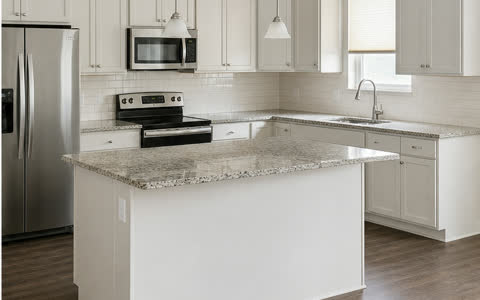
Clean white kitchen after selected furniture and clutter removal Before → After
Precision cleanup

Item removal

Remove furniture, cords, clutter, décor, and temporary distractions from each listing photo.

Explore Item removal
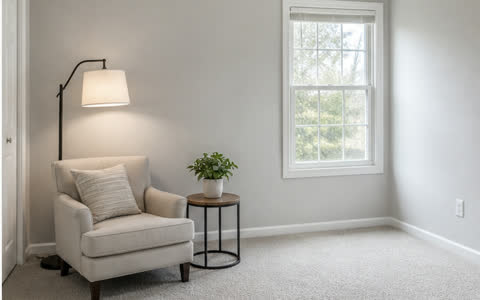
Reading chair and side table added to a selected corner of a room Before → After
Directed edit

Custom staging

Paint selected areas and direct what should be added, changed, or replaced.

Explore Custom staging
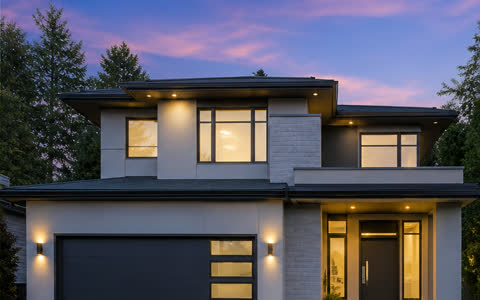
Modern home exterior at purple twilight with illuminated windows Before → After
Exterior light

Twilight

Create pink twilight, blue hour, or natural dusk with believable exterior lighting.

Explore Twilight
Residential exterior presented with green summer landscaping and mature trees Before → After
Seasonal conversion

Winter to summer

Turn a winter exterior into believable summer without redesigning the original property.

Explore Winter to summer
Brick home exterior with an enhanced green lawn, clean driveway, and clear sky Before → After
Exterior finish

Exterior enhancement

Clean driveways, improve grass and sky, and remove leaves—separately or together.

Explore Exterior enhancement
2D apartment floor plan transforming into an overhead 3D visualization Before → After
Plan visualization

3D floor plan

Turn a JPEG or single-page PDF into an overhead 3D floor-plan visualization.

Explore 3D floor plan
The sample beige sofa and round walnut table placed onto an empty listing photograph Before → After
Catalog placement

Reference furniture

Place catalog furniture photos onto a listing photograph at recorded floor coordinates.

Explore Reference furniture

Product demonstrations

Photography stays in control.

These presentation images illustrate Furnio’s intended visual direction; they are not customer case studies or evidence of a measured customer outcome. Read our evidence standard.

Bright staged living room with neutral furniture01Virtually Staged
Neutral staging directionLiving room
Illustrative presentation
Professionally staged modern dining room02Virtually Staged
Warm dining directionDining room
Illustrative presentation
Warm professionally staged bedroom03Virtually Staged
Soft bedroom directionPrimary bedroom
Illustrative presentation

One production desk

From camera card to finished listing set.

Choose a purpose-built workflow, keep your original untouched, and review the transformation before you deliver it.

  1. 01

    Upload the property

    Add JPEG photos directly from your shoot. Original files remain private.

  2. 02

    Choose the room direction

    Pick a style, write your own direction, or stage several angles consistently.

  3. 03

    Review every view

    Compare the finished image with the original and inspect every angle before delivery.

  4. 04

    Deliver the final photo

    Download the full-resolution image with a customizable disclosure enabled by default.

Multi-view consistency

One room. Every angle. The same furniture story.

Upload two to four views from the same room. Furnio uses the selected anchor and shared direction to carry one furniture story across the complete set.

  • Choose the design anchor
  • Use one room, furniture, and mood brief
  • Download every finished angle individually
Start a multi-view room
One shared direction2–4 photos · one room
01 / AnchorChoose your lead photo
02 / DirectionShare the room brief
03 / ReviewInspect each result
Workflow illustration—not a set of generated results.

Simple credits

Every final image costs 5 credits. That’s $5.

Buy once or subscribe monthly for bonus credits. Unused subscription credits can roll into the next month up to three times per subscription year.

Pay as you go

$50 once

10 imagesat 5 credits each
  • 50 credits
  • No subscription
  • Credits never expire
  • Single-user workspace
Buy credits

Agent

$100/month

21 imagesat 5 credits each
  • 100 + 5 bonus credits
  • 5% bonus · 105 credits total
  • Month-to-month · cancel anytime
  • Single-user workspace
Choose Agent

Studio

$1,200/month

300 imagesat 5 credits each
  • 1,200 + 300 bonus credits
  • 25% bonus · 1,500 credits total
  • Month-to-month · cancel anytime
  • Single-user workspace
Choose Studio

No annual contracts. No PNG or WebP download tier. Subscription rollover count resets on your subscription anniversary.

Listing-ready disclosure

Your disclosure, placed your way.

Choose your wording, font, size, opacity, colour, and placement. Try the controls here, then make the final choice when you download.
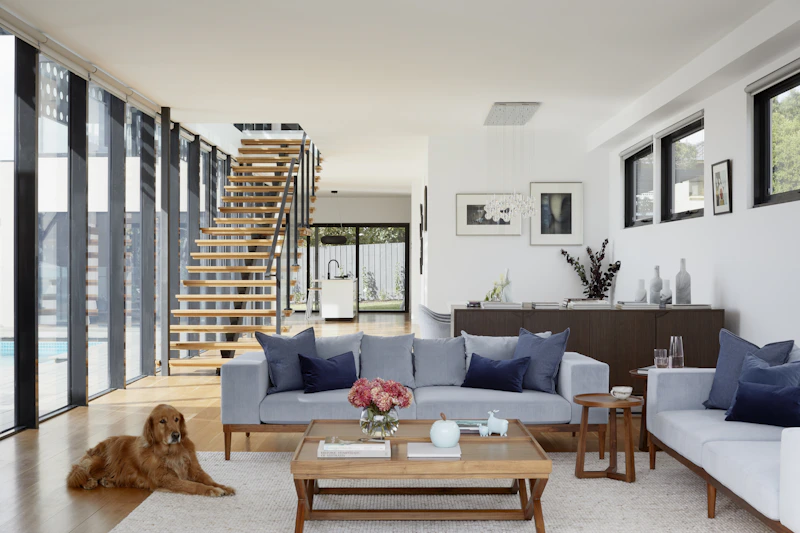
Interior photograph for trying the disclosure label settingsVirtually Staged
Interactive label preview
Optional download disclosure

“Virtually Staged” label

This label is added only in your browser when you download. Furnio does not upload a second copy or process the image on an application server.

Position

Try the same controls used in Furnio. This demo changes only the preview—not your account or an existing photo. The optional disclosure is separate from the free-trial watermark.

Furnio for developers

Put the imaging workflow inside your product.

Build with the API, signed webhooks, or secure MCP tools for interactive AI clients. Validate with zero-credit sandbox fixtures, then move to volume-priced production access.

Explore the developer platform
listing-workflowSandbox ready
01Prepare property mediaDirect private transfer
02Run an approved servicePlan and credit gated
03Receive the resultSigned asynchronous delivery
API WEBHOOKS MCP

The next listing is waiting

Make the room feel move-in ready.

Stage a property