Curated direction
Choose a room type, furniture style, and optional mood without writing a technical prompt.

Interior presentation
Add listing-ready furniture and décor to an empty room while keeping the camera angle, architecture, materials, and visible light intact.
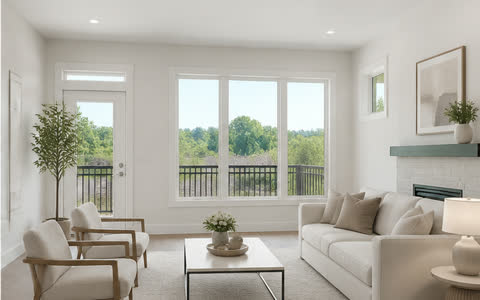 Before → After
Choose a room type, furniture style, and optional mood without writing a technical prompt.
Every result stays connected to the exact source image for review and download.
The “Virtually Staged” label is enabled by default and can be styled or removed.
Workflow
Each step is designed around the listing photograph—not a generic image-generation canvas.
Add one photo or a property batch after Furnio verifies the required credit balance.
Select the room, furniture style, mood, and any optional instructions.
Compare the result with the original, set the disclosure, and download the finished image.
Available direction
Preservation brief
AI output can contain errors. Review every image before publishing or delivering it.
Questions
No. Standard virtual staging is intended to add removable furniture and décor, not change permanent architecture or finishes.
Yes. Each photo can use its own approved room type, furniture style, mood, and optional written direction.
A standard final image costs 5 credits. Current package pricing is shown on the pricing page before checkout.
Explore another workflow
Start with the property
Create the property first, then choose this workflow for one photo or a complete property batch.