Seasonal conversion
Replace snow and winter cues with believable summer ground and foliage.

Seasonal conversion
Convert a winter exterior into a believable summer presentation while preserving the original property and camera perspective.
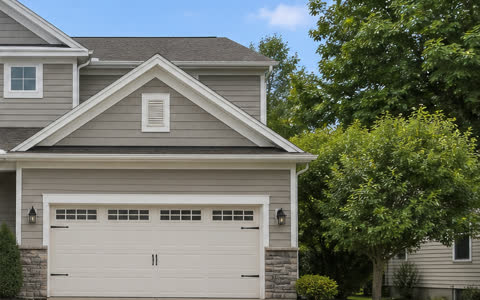 Before → After
Replace snow and winter cues with believable summer ground and foliage.
Keep the building, lot layout, and permanent landscape structure recognizable.
Apply one consistent seasonal instruction without configuring multiple effects.
Workflow
Each step is designed around the listing photograph—not a generic image-generation canvas.
Choose an image with clear property boundaries and usable architectural detail.
Furnio applies the coordinated summer direction as one workflow.
Confirm that the property, hardscape, boundaries, and permanent features remain truthful.
Available direction
Preservation brief
AI output can contain errors. Review every image before publishing or delivering it.
Questions
The workflow targets seasonal cues such as snow, dormant grass, bare foliage, and winter sky while preserving the property itself.
No. Summer foliage and lawn appearance are generated illustrations and should be reviewed as marketing visualizations.
Yes where required. Customers remain responsible for local listing and advertising rules for seasonally altered imagery.
Explore another workflow
Start with the property
Create the property first, then choose this workflow for one photo or a complete property batch.